Opening the Flash settings
Before you participate in a seminar, it is important to test your microphone and webcam to make sure that you can be seen and heard by other seminar participants. When you are using Flash on the web, you can right click the application (ctrl+click on Macintosh) in order to bring up a contextual menu of commands. This menu looks like this (as seen in Mac OSX):
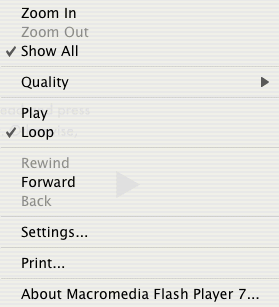
There's a number of things you can accomplish from this menu, but what we're most concerned about is the "Settings" option. Selecting this option will bring up a new menu that looks like this:
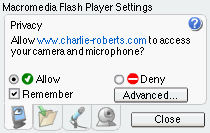
There are four different tabs of settings in the menu; you navigate them using the buttons at the bottom. There are four different tabs of settings in the menu; you navigate them using the buttons at the bottom. When you first launch the settings menu, the privacy tab is opened.
Next > Privacy settings